
oh my gosh thank you all so much!! i have been trying to turn erode on for months!!Pumaxcs wrote:Just as he said. Once the shortcut is created then...MXTrent75287 wrote:You have to right click mx.exe, create shortcut, and enter "--erode #" in the target line. Read the FAQ it has a pic
right click icon<properties<target< and add --erode #<apply
The FAQ gives a step by step and picture.
http://forum.mxsimulator.com/viewtopic.php?f=1&t=1212
2012-11-15 snapshot
-
maxxrauh98
- Posts: 75
- Joined: Tue Oct 16, 2012 8:21 pm
- Team: privateer
- Location: nor cal
Re: 2012-11-15 snapshot
-
CrazyCanadianMX
- Posts: 858
- Joined: Tue Jun 21, 2011 3:51 am
- Team: HIRE ME
-
luke44mx
- Posts: 366
- Joined: Mon Apr 09, 2012 7:17 am
- Team: Karma Racing/Design
- Location: Behind you...
Re: 2012-11-15 snapshot
i havent been on in forever andnow i cant find my mx.exe folder. i used to have it in my taskbar.
McLovin wrote:GUYS YOU BETTER NOT TALK BAD ABOUT THIS KID, HE'S GONNA CALL YOU A COCK THEN ASK WHY YOU'RE RIPPING HIM OFF SMH WHY HAVEN'T YOU PEOPLE LEARNED WORDS HURTTT

-
Phathry25
- Posts: 7481
- Joined: Sat Dec 01, 2007 1:09 am
- Team: No Frills Racing
- Location: WI
- Contact:
Re: 2012-11-15 snapshot
Whatever you do don't search for mx.exe on your computer!
jlv wrote:Here's a picture of my nuts.
-
luke44mx
- Posts: 366
- Joined: Mon Apr 09, 2012 7:17 am
- Team: Karma Racing/Design
- Location: Behind you...
Re: 2012-11-15 snapshot
oh, no! I DID! Ahhh Its the end of the world!
McLovin wrote:GUYS YOU BETTER NOT TALK BAD ABOUT THIS KID, HE'S GONNA CALL YOU A COCK THEN ASK WHY YOU'RE RIPPING HIM OFF SMH WHY HAVEN'T YOU PEOPLE LEARNED WORDS HURTTT
-
WellsMX524
- Posts: 2119
- Joined: Sun Feb 05, 2012 7:23 am
- Team: Aspect Visual Co.
- Location: Illinois/Wisconsin
Re: 2012-11-15 snapshot
This snapshot with erode is epic.
Makes me really optimistic for the 2013 supercross tracks.
Makes me really optimistic for the 2013 supercross tracks.
-
ilka
- Posts: 12
- Joined: Thu Mar 15, 2012 10:31 pm
- Team: Privateer
Re: 2012-11-15 snapshot
I get a very low framerate and lots of stutters when using erode and shaders together. Having to disable something 
-
acr3w
- Posts: 73
- Joined: Sat Dec 01, 2012 12:33 pm
- Team: vintage mx
Re: 2012-11-15 snapshot
i cant make it work
-
p2sta
- Posts: 3281
- Joined: Fri Jul 30, 2010 7:08 am
- Location: Czech Republic
- Contact:
Re: 2012-11-15 snapshot
because you didn't read the instructions

-
haggqvist
- Posts: 352
- Joined: Sun Jan 31, 2010 11:44 am
- Location: Sweden
Re: 2012-11-15 snapshot
Excellent additions!
I am, however, having some difficulties getting the near/far clip plane settings to work.
This is what I have in the lighting file:
I have tried loads of values for the far_plane setting but it doesn't seem to be working, all the different values give the exact same clipping range.
Btw, am I right in assuming that the value for the clipping plane is in feet?
I am, however, having some difficulties getting the near/far clip plane settings to work.
This is what I have in the lighting file:
Code: Select all
sun_vector [ 1.00 1.00 1.00 ]
sun_color [ 1.00 1.00 1.00 ]
ambient [ 0.45 0.45 0.45 ]
global_ambient [ 0.0 0.0 0.0 ]
dynamic_lighting 1
near_plane 0.25
far_plane 10000.0
sky_n @2013.mxs.gp.rd02.fermo/skybox/skybox.blank.png
sky_e @2013.mxs.gp.rd02.fermo/skybox/skybox.blank.png
sky_s @2013.mxs.gp.rd02.fermo/skybox/skybox.blank.png
sky_w @2013.mxs.gp.rd02.fermo/skybox/skybox.blank.png
sky_u @2013.mxs.gp.rd02.fermo/skybox/skybox.blank.png
sky_env @2013.mxs.gp.rd02.fermo/skybox/skybox.blank.png
Btw, am I right in assuming that the value for the clipping plane is in feet?

-
jlv
- Site Admin
- Posts: 15462
- Joined: Fri Nov 02, 2007 5:39 am
- Team: No Frills Racing
- Contact:
Re: 2012-11-15 snapshot
I just tested it and it seemed OK to me. I wouldn't mess with the near plane unless I had a good reason BTW.
Josh Vanderhoof
Sole Proprietor
jlv@mxsimulator.com
If you email, put "MX Simulator" in the subject to make sure it gets through my spam filter.
Sole Proprietor
jlv@mxsimulator.com
If you email, put "MX Simulator" in the subject to make sure it gets through my spam filter.
-
haggqvist
- Posts: 352
- Joined: Sun Jan 31, 2010 11:44 am
- Location: Sweden
Re: 2012-11-15 snapshot
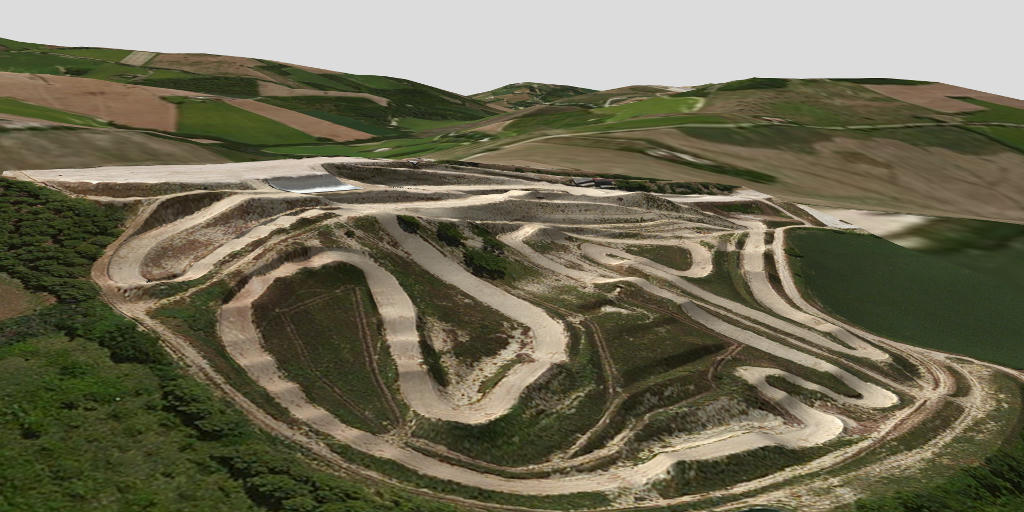
Here's what I get for the surrounding terrain object for Fermo.
The exact same code as above but without the near_plane setting and with three different values for far_plane.
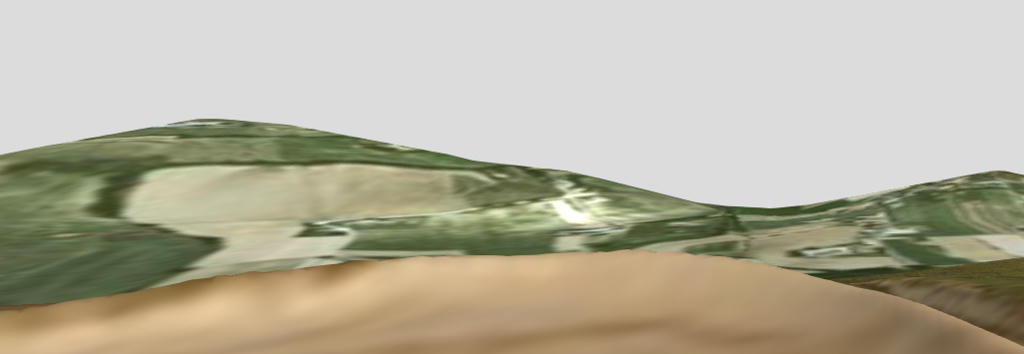
far_plane 5000
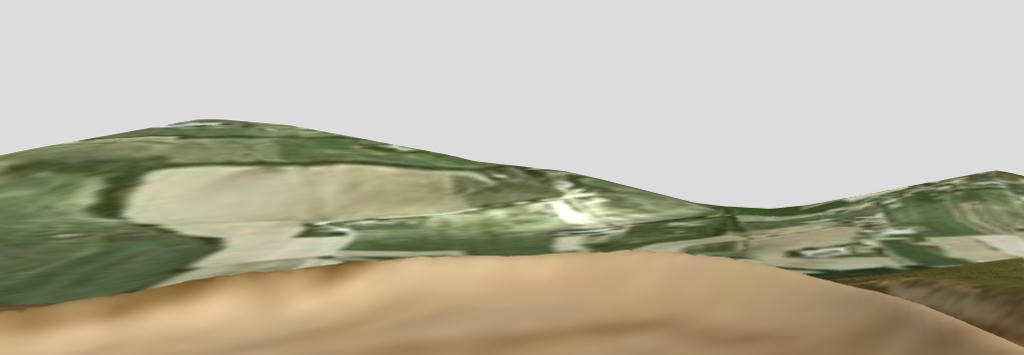
far_plane 10000
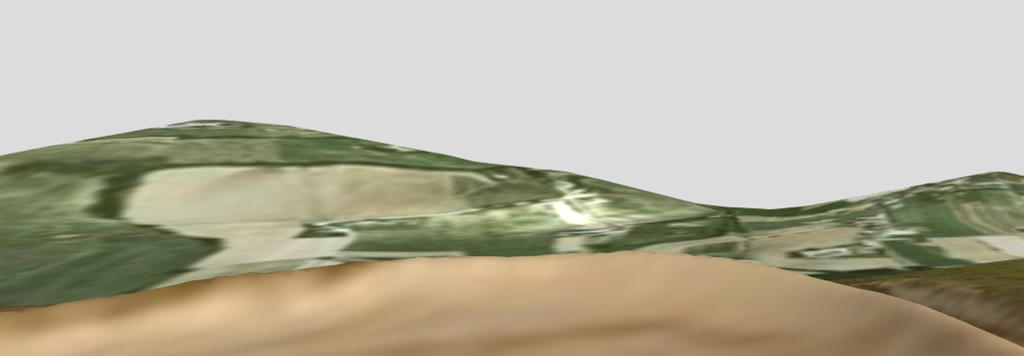
far_plane 50000
From a crude measurement in Google Earth it seems to be stuck at about 3000 ft.
The exact same code as above but without the near_plane setting and with three different values for far_plane.
far_plane 5000
far_plane 10000
far_plane 50000
From a crude measurement in Google Earth it seems to be stuck at about 3000 ft.
-
jlv
- Site Admin
- Posts: 15462
- Joined: Fri Nov 02, 2007 5:39 am
- Team: No Frills Racing
- Contact:
Re: 2012-11-15 snapshot
Try this:
http://mxsimulator.com/snapshots/mx-2012-12-17-1144.exe
http://mxsimulator.com/snapshots/mxbin-2012-12-17-1144
The skybox was clipping it. I tested it by using a huge terrain, which resets values set by the skybox, so I didn't see it in my tests. It now disables depth buffer writes while drawing the skybox.
http://mxsimulator.com/snapshots/mx-2012-12-17-1144.exe
http://mxsimulator.com/snapshots/mxbin-2012-12-17-1144
The skybox was clipping it. I tested it by using a huge terrain, which resets values set by the skybox, so I didn't see it in my tests. It now disables depth buffer writes while drawing the skybox.
Josh Vanderhoof
Sole Proprietor
jlv@mxsimulator.com
If you email, put "MX Simulator" in the subject to make sure it gets through my spam filter.
Sole Proprietor
jlv@mxsimulator.com
If you email, put "MX Simulator" in the subject to make sure it gets through my spam filter.
-
haggqvist
- Posts: 352
- Joined: Sun Jan 31, 2010 11:44 am
- Location: Sweden
Re: 2012-11-15 snapshot
Seems like it's working perfectly now, cheers!
Still haven't tried it with a proper skybox though.
Still haven't tried it with a proper skybox though.