Mx Simulator with Reshade graphics mod

Post anything about MX Simulator here. Please. I'm begging you.
Post Reply
MacNeill 31
Posts: 42
Joined: Mon Apr 15, 2013 6:46 am

Mx Simulator with Reshade graphics mod

Post by MacNeill 31 »

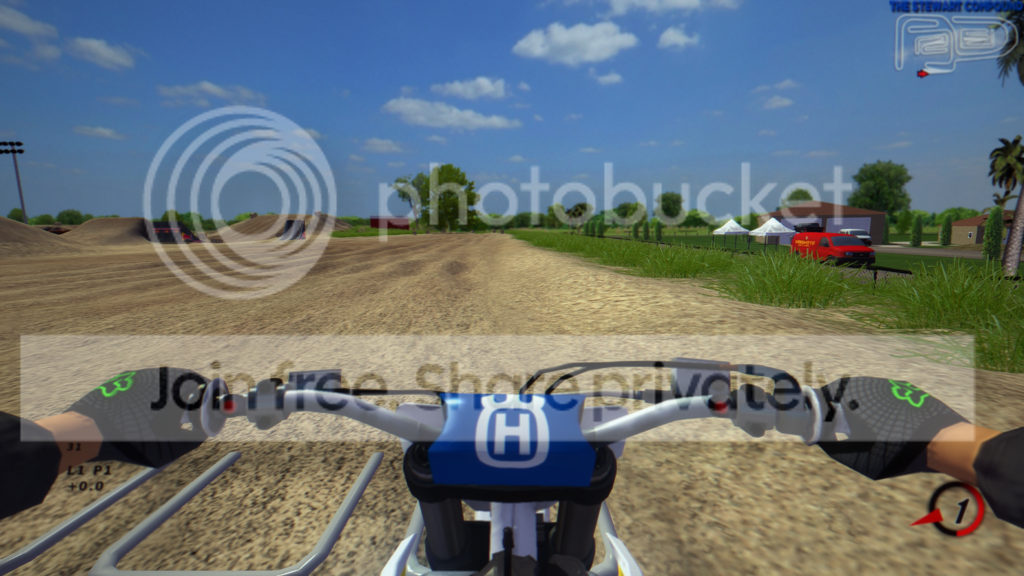
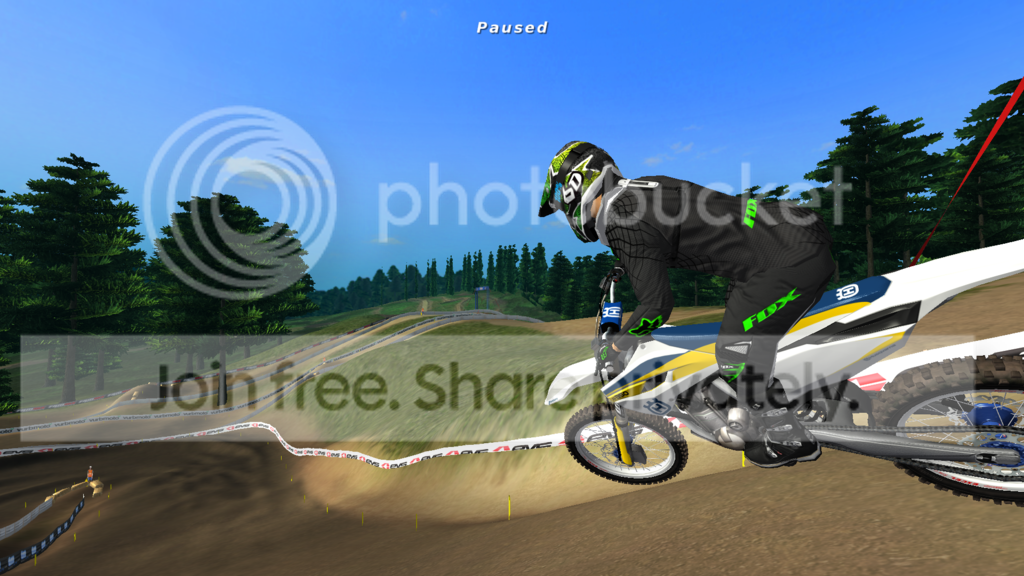
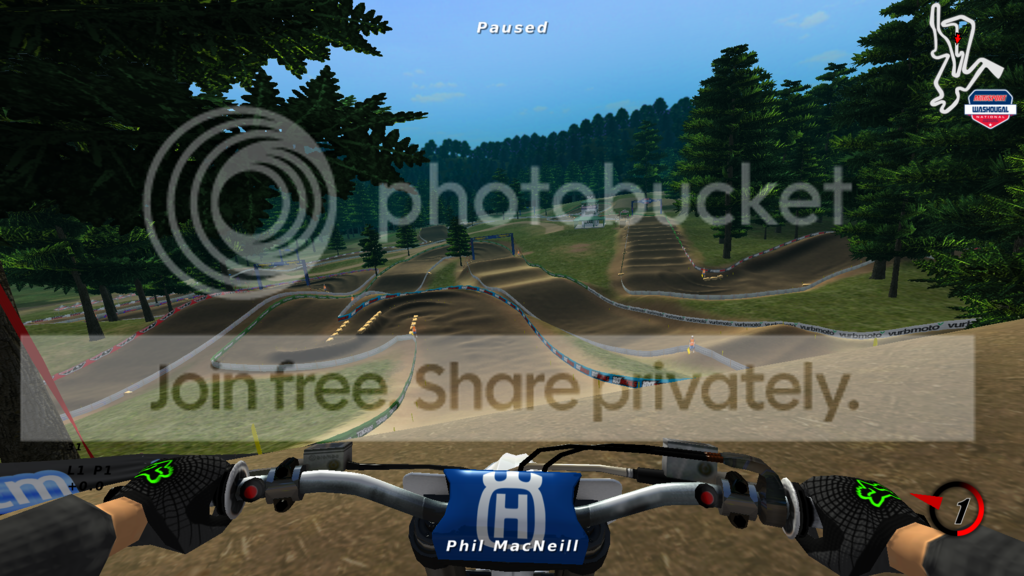
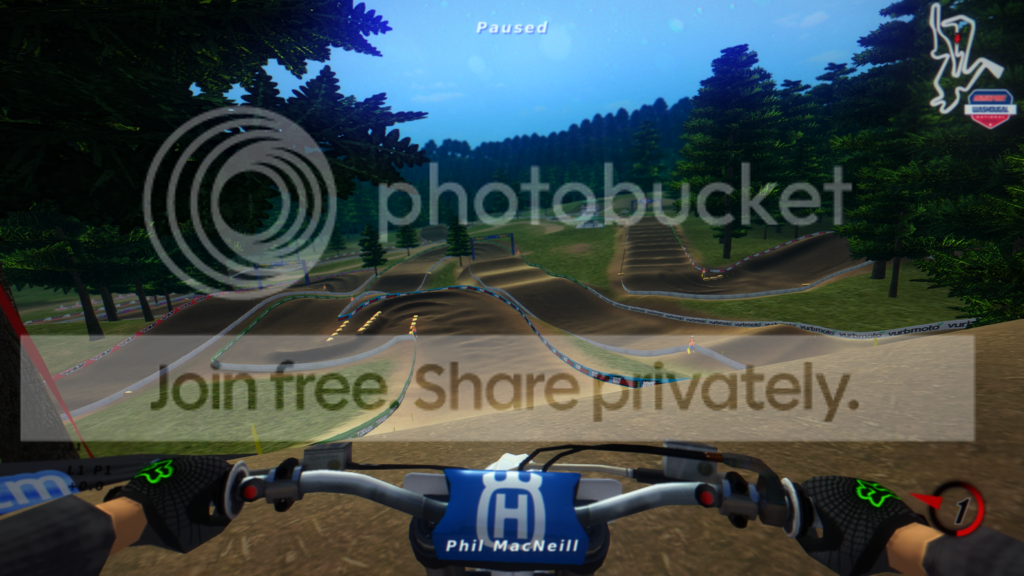
I started using the graphics mod Reshade on MX simulator, it adds some post processing effects that make the game look a little cooler. If anyone wants to give it a try, here is an install file with the config I made. Just unzip it to the folder that your MX.exe is located in.

https://www.mediafire.com/?1o9kblza9qhxuvb 21 mb file

This may cause a drop in frame rate if you have a lower end graphics card. To uninstall just delete the files.

Effects used: image sharpen, color vibrancy, slight motion blur, depth of field blur, and some others. There is a cool effect when you look at the sun or a light you can see spots on the screen, looks like there is junk on your goggles. Also there is a small fps counter ticked on in the corner. Feel free to edit the config files in the reshade folder to turn off different settings (the motion blur may make you sick). You can toggle the mod on and off with the "scroll lock" key to see the difference in game. I suggest turning off "lens flare" in the game otherwise the sun is too bright.

OFF
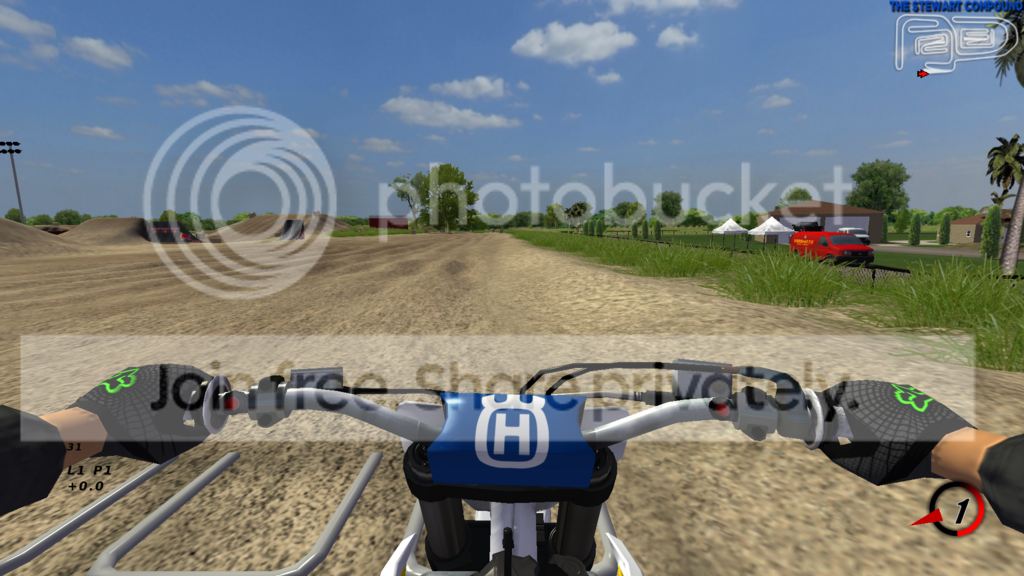
Image

ON
Image

OFF
Image

ON
Image

OFF
Image

ON
Image
MacNeill 31
Posts: 42
Joined: Mon Apr 15, 2013 6:46 am

Re: Mx Simulator with Reshade graphics mod

Post by MacNeill 31 »

This config is a work in progress, I am having trouble with the depth of field setting. Works fine in single player but when I join a multiplayer race the whole screen gets blurred.
MacNeill 31
Posts: 42
Joined: Mon Apr 15, 2013 6:46 am

Re: Mx Simulator with Reshade graphics mod

Post by MacNeill 31 »

To turn off depth of field, go into the Reshade folder, open McFX.cfg with notepad, and change
#define USE_DEPTHOFFIELD 1 //[DOF] //-
to
#define USE_DEPTHOFFIELD 0 //[DOF] //-
nickuzick
Posts: 3278
Joined: Mon Oct 14, 2013 9:42 pm
Location: CA
Contact:

Re: Mx Simulator with Reshade graphics mod

Post by nickuzick »

To be honest, the after photos look like they were taken from your phone. It's just all blurry
Image
Motolife_99
Posts: 1001
Joined: Sat Sep 06, 2014 6:42 pm
Team: KMR

Re: Mx Simulator with Reshade graphics mod

Post by Motolife_99 »

i tried it and even with my graphics card (gtx660) i got 25fps, i'd much prefer only DOF which would be pretty cool on its own imo
Image
MacNeill 31
Posts: 42
Joined: Mon Apr 15, 2013 6:46 am

Re: Mx Simulator with Reshade graphics mod

Post by MacNeill 31 »

nickuzick wrote:To be honest, the after photos look like they were taken from your phone. It's just all blurry
that is the depth of field effect, ideally it is supposed to make it blurred in the distance and be clear on the part you are focusing on. it is hard to get it tweaked right so here is a version without DOF, motion blur, and should have better performance.

https://www.mediafire.com/?0vxev89of4sgzrh
Mkbillion
Posts: 64
Joined: Sat Jul 04, 2020 5:02 pm
Team: dancing monkey

Re: Mx Simulator with Reshade graphics mod

Post by Mkbillion »

I need help downloading
Wahlamt
Posts: 7964
Joined: Mon Sep 13, 2010 3:15 pm
Team: MLG Compton
Location: Sweden
Contact:

Re: Mx Simulator with Reshade graphics mod

Post by Wahlamt »

Mkbillion wrote:I need help downloading
Check this out: viewtopic.php?f=1&t=38644&p=689346
Mkbillion
Posts: 64
Joined: Sat Jul 04, 2020 5:02 pm
Team: dancing monkey

Re: Mx Simulator with Reshade graphics mod

Post by Mkbillion »

thank you so much !! :D
Post Reply