Page 1 of 2
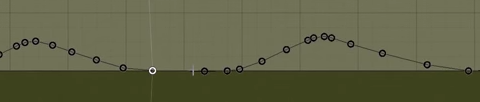
Faster way to delete the dots in gradient edit
Posted: Sun May 24, 2015 11:03 pm
by JJH186
These dots are a pain in the ass to delete by just dragging them, Im not aware of any hotkeys to remove them. If there are I would like to know, if not I would like to see it integgrated in the game... JLV!!!
Re: Faster way to delete the dots in gradient edit
Posted: Mon May 25, 2015 5:41 am
by Wahlamt
Arrows next/previous dot, delete = delete, that would have been a nice feature. As of now there isn't any fast way.
Re: Faster way to delete the dots in gradient edit
Posted: Mon May 25, 2015 4:24 pm
by JJH186
Wahlamt wrote:Arrows next/previous dot, delete = delete, that would have been a nice feature. As of now there isn't any fast way.
I know right...
Re: Faster way to delete the dots in gradient edit
Posted: Mon May 25, 2015 5:58 pm
by barrington314
Maybe if the click and drag didnt get rid of the one you are clicked on but rather the ones you drag past... ???
Re: Faster way to delete the dots in gradient edit
Posted: Mon May 25, 2015 7:08 pm
by Jeremy150
barrington314 wrote:Maybe if the click and drag didnt get rid of the one you are clicked on but rather the ones you drag past... ???
Boom.
Re: Faster way to delete the dots in gradient edit
Posted: Mon May 25, 2015 8:30 pm
by rafagas
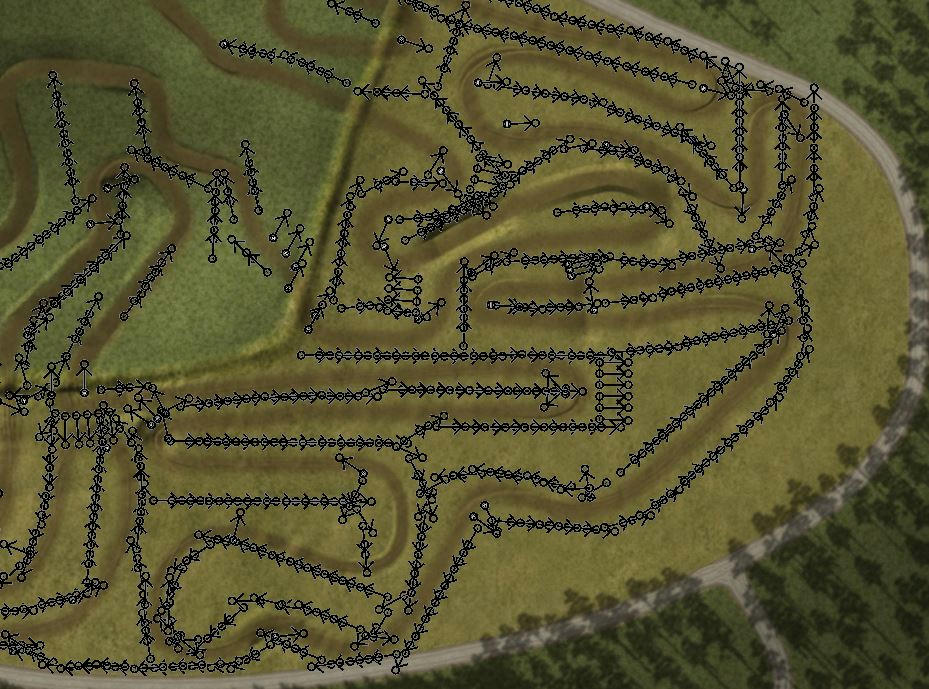
And a f***ing way to add/delete/move more that one f***ing object (statue and billboard) at once. Do I really have to delete all this f***ing s**t one by one?
/endrage
Yes, I'm extremely upset because I messed it and have to re-do all the work.

Any volunteer to place the fences in blender?

Re: Faster way to delete the dots in gradient edit
Posted: Mon May 25, 2015 9:52 pm
by JJH186
rafagas wrote:And a f***ing way to add/delete/move more that one f***ing object (statue and billboard) at once. Do I really have to delete all this f***ing s**t one by one?
/endrage
Yes, I'm extremely upset because I messed it and have to re-do all the work.
Any volunteer to place the fences in blender?
Cant you just go to Notepad ++ and delete all the statues that you dont want.
Re: Faster way to delete the dots in gradient edit
Posted: Tue May 26, 2015 3:52 pm
by rafagas
There's over a thousand objects. Some are ok, some are not. Looking for them by coordinates is not really an option
Re: Faster way to delete the dots in gradient edit
Posted: Tue May 26, 2015 7:26 pm
by JJH186
rafagas wrote:There's over a thousand objects. Some are ok, some are not. Looking for them by coordinates is not really an option
Oh I thought you wanted to take them all off XD then no, takes to long.
Re: Faster way to delete the dots in gradient edit
Posted: Thu Jul 09, 2015 4:06 am
by barrington314
barrington314 wrote:Maybe if the click and drag didnt get rid of the one you are clicked on but rather the ones you drag past... ???
JLV, any comments on this?

Re: Faster way to delete the dots in gradient edit
Posted: Fri Jul 10, 2015 2:09 am
by jlv
I have to admit, I don't use "set from terrain" very often. Maybe try smoothing the terrain before you load it into the gradient?
Re: Faster way to delete the dots in gradient edit
Posted: Fri Jul 10, 2015 2:14 am
by Cody Darr
jlv wrote:I have to admit, I don't use "set from terrain" very often.

Re: Faster way to delete the dots in gradient edit
Posted: Fri Jul 10, 2015 6:28 am
by AWood
Cody Darr wrote:jlv wrote:I have to admit, I don't use "set from terrain" very often.
besides his old tracks, hes only really made supercross tracks in recent years, which really has no need for it
Re: Faster way to delete the dots in gradient edit
Posted: Fri Jul 10, 2015 7:46 am
by Wahlamt
jlv wrote:I have to admit, I don't use "set from terrain" very often. Maybe try smoothing the terrain before you load it into the gradient?
Smoothing results in more dots in my experience. Instead of having 5 choppy/edgy dot's, you'll have 50 smooth ones.
Re: Faster way to delete the dots in gradient edit
Posted: Fri Jul 10, 2015 7:07 pm
by barrington314
JLV, on a similar topic, do you think it will ever be possible to do something like this with gradients?
I know its been talked about before but not sure if you've ever commented on it.
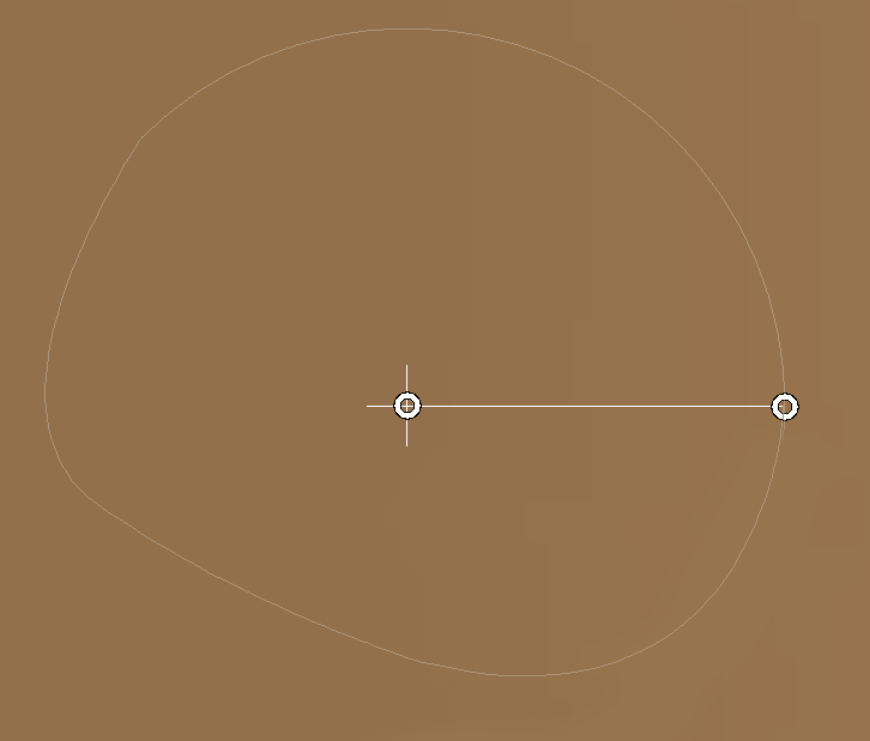
And while I have your attention, what about square brushes? Im not looking for you to say "yes Ill do this" (well kinda) but more if you would even consider these, or if they are even possible. Thanks