Prob-Track Editor-Objects changing magicly

Post your questions here
Post Reply
VUSTTOS
Posts: 840
Joined: Sun Jan 17, 2016 2:02 am
Team: Spanish MX Gamers
Location: GPS not working

Prob-Track Editor-Objects changing magicly

Post by VUSTTOS »

Hi guys!

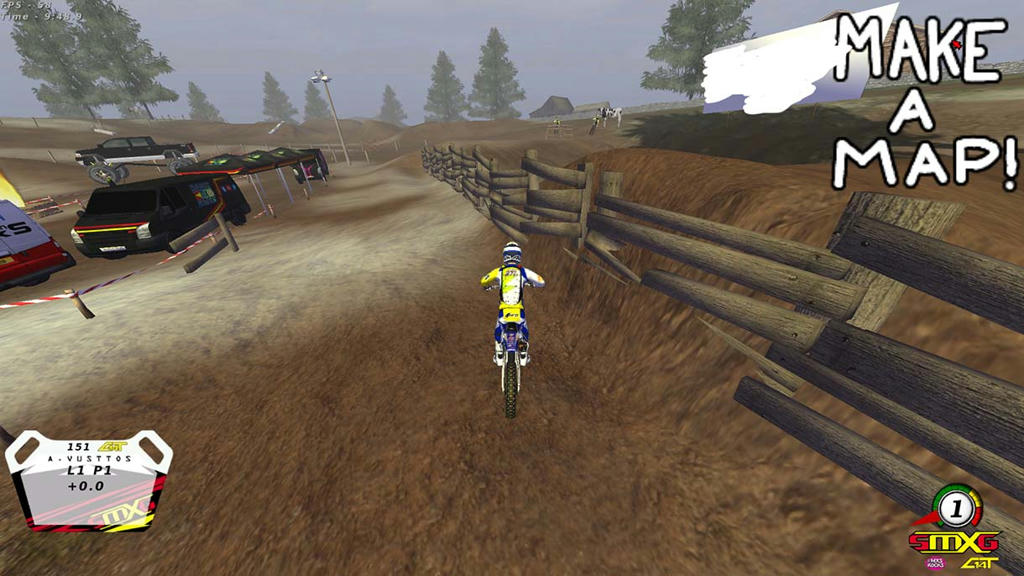
I have no clue about what's going on. I'm making a new track and I am placing some objects.

This is how I want them to be so I place them and click save
Image
Image
Image

As I said, I click on save and so, I quit Mx Sim.
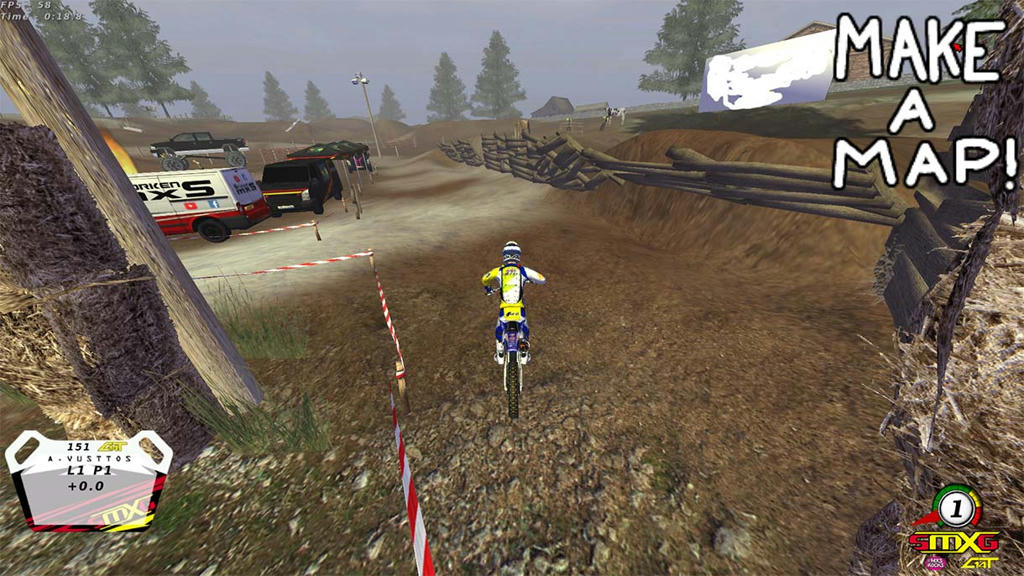
Then, I open the game and open again the track and this is what I have:
Image

Does anyone knows how can this get fixed?

Thank you very much!

Alex V111#1017
Image
jlv
Site Admin
Posts: 15437
Joined: Fri Nov 02, 2007 5:39 am
Team: No Frills Racing
Contact:

Re: Prob-Track Editor-Objects changing magicly

Post by jlv »

It's because you modified the terrain after you placed the objects. When you reload the track it reorients the objects in relation to the ground. The easy workaround is to make a little flat spot for the fence to sit on.
Josh Vanderhoof
Sole Proprietor
jlv@mxsimulator.com
If you email, put "MX Simulator" in the subject to make sure it gets through my spam filter.
Wahlamt
Posts: 7966
Joined: Mon Sep 13, 2010 3:15 pm
Team: MLG Compton
Location: Sweden
Contact:

Re: Prob-Track Editor-Objects changing magicly

Post by Wahlamt »

Set the rotation in the statues file to -10 and it'll always be straight, even in slopes.
VUSTTOS
Posts: 840
Joined: Sun Jan 17, 2016 2:02 am
Team: Spanish MX Gamers
Location: GPS not working

Re: Prob-Track Editor-Objects changing magicly

Post by VUSTTOS »

jlv wrote:It's because you modified the terrain after you placed the objects. When you reload the track it reorients the objects in relation to the ground. The easy workaround is to make a little flat spot for the fence to sit on.
That wood thing is supossed to be holding the dirt. That's why I wanted the dirt to be in the "middle" of the object. Thanks anyway!

But I don't understand why that happens. I mean, I you save the track like that why then it changes?
How does that work?
Wahlmart wrote:Set the rotation in the statues file to -10 and it'll always be straight, even in slopes.
That is priceless! Tried this quickly and it works. How did you find this out?
Thank you!
Alex V111#1017
Image
Wahlamt
Posts: 7966
Joined: Mon Sep 13, 2010 3:15 pm
Team: MLG Compton
Location: Sweden
Contact:

Re: Prob-Track Editor-Objects changing magicly

Post by Wahlamt »

VUSTTOS wrote:
Wahlmart wrote:Set the rotation in the statues file to -10 and it'll always be straight, even in slopes.
That is priceless! Tried this quickly and it works. How did you find this out?
Thank you!
Have previously had that happen by mistake, plus a while back someone posted about it :)
Post Reply