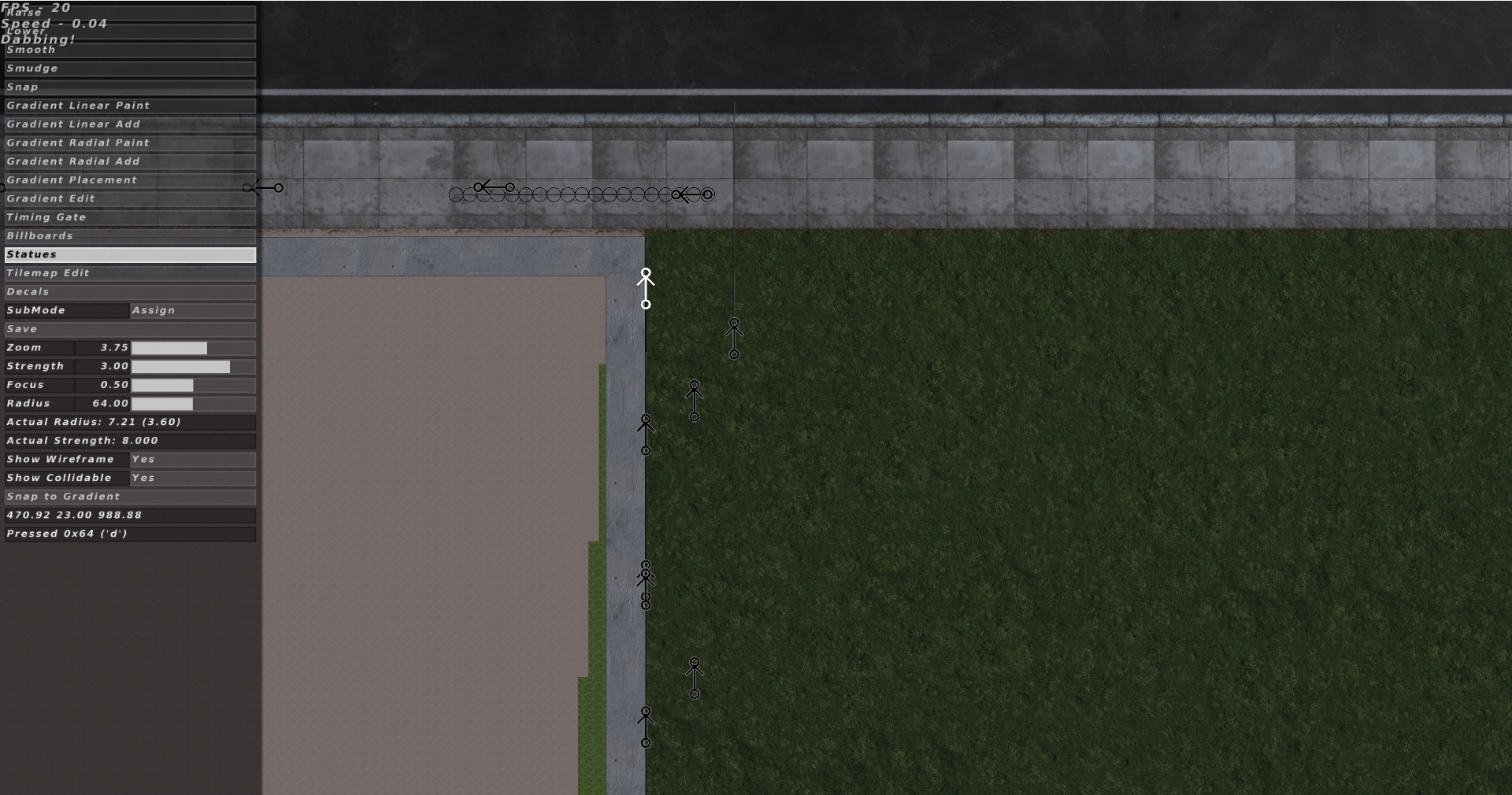
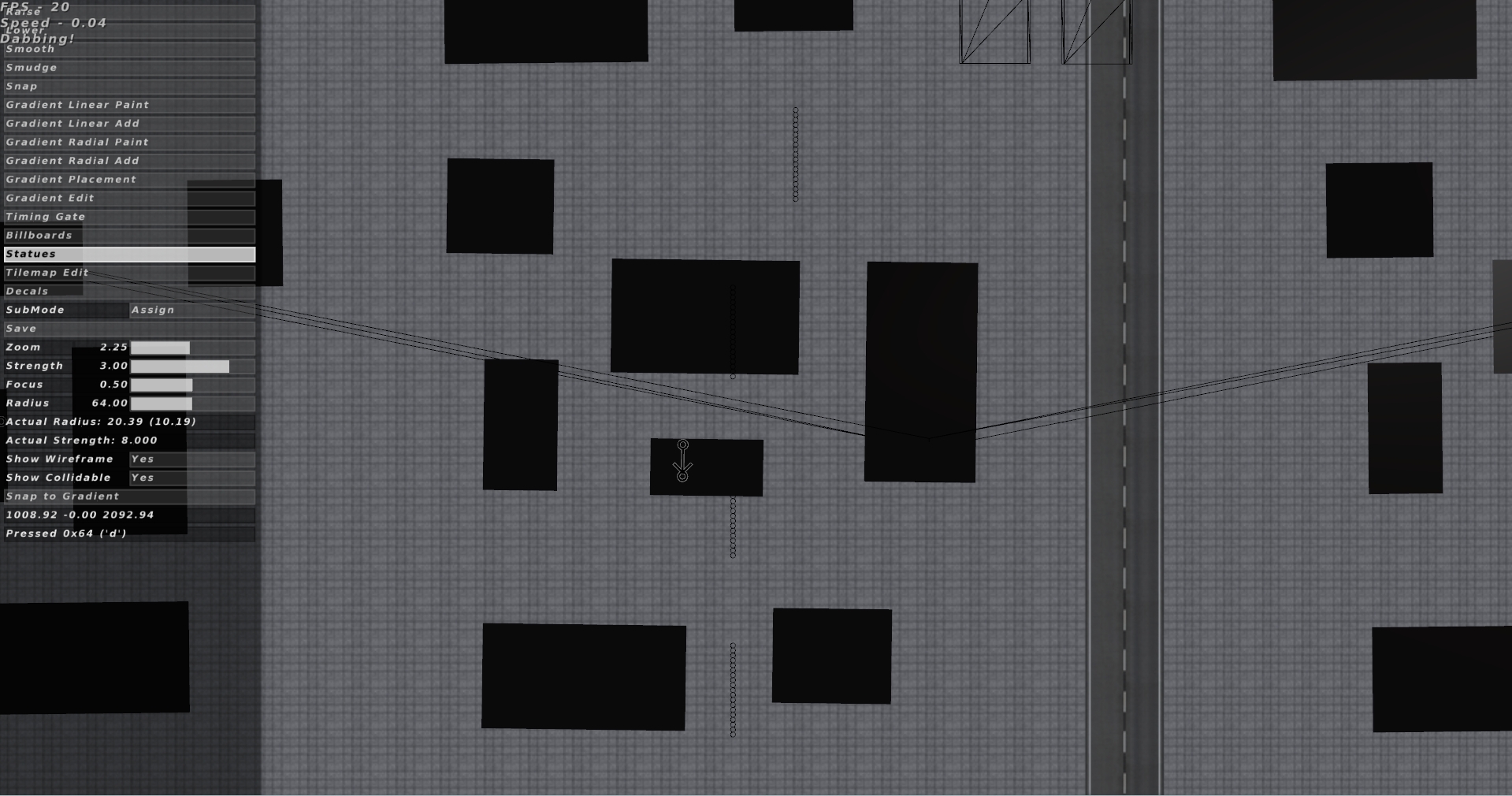
The "Show Collision/Collidable" toggle is very buggy, it often shows collisions in random places but more importantly if I tab into gameplay to test something with the collisions showing a bunch (if not all of them) will disappear, the only fix has been violently tabbing through the cameras for a bit or restarting the game. I've noticed it for a long time but it isn't something I've ever had to utilize until the track I'm working on right now.
Re: Buggy "Show Collision"
Posted: Wed Sep 10, 2025 2:33 am
by jlv
What specifically happens? I just gave it a quick test and it looked okay.
Re: Buggy "Show Collision"
Posted: Thu Sep 11, 2025 4:32 pm
by sethypeety
jlv wrote: ↑Wed Sep 10, 2025 2:33 am
What specifically happens? I just gave it a quick test and it looked okay.
Sorry for the delayed response, didn't get on and play yesterday so I didn't get any screenshots.
In the image below there are multiple of the same fence object but only one is actually showing the collisions and it just so happens to be the only one I haven't touched/placed down in this current session.
This image is of where said collisions are ending up.
Re: Buggy "Show Collision"
Posted: Fri Sep 12, 2025 2:15 am
by jlv
Does the bug show up when you just put a couple of them on a blank track?
Re: Buggy "Show Collision"
Posted: Fri Sep 12, 2025 7:22 pm
by sethypeety
I haven't been able to replicate it on a blank track with default statues but I'll try on more tracks when I have more time. It isn't anything game breaking but with the track I'm currently building it has been a pain to deal with.
Re: Buggy "Show Collision"
Posted: Sat Sep 13, 2025 2:48 am
by jlv
Doesn't need to be default statues. What if you add the troublesome object to a blank track?
Re: Buggy "Show Collision"
Posted: Sun Dec 07, 2025 8:23 pm
by sethypeety
jlv wrote: ↑Sat Sep 13, 2025 2:48 am
Doesn't need to be default statues. What if you add the troublesome object to a blank track?
jlv wrote: ↑Sat Sep 13, 2025 2:48 am
Doesn't need to be default statues. What if you add the troublesome object to a blank track?
I got a video of it happening
Sorry about the music I was jammin
Sorry for double post but want to add some context. This is a "blanktrack" folder that I've been working on for a week but just started adding statues with collision. These banners are the only statue having the problem, the trees and vertical tires are perfectly fine as of right now. As you can see In the video I never interacted with the banners themselves and they had the same reaction I reported before.
Re: Buggy "Show Collision"
Posted: Mon Dec 08, 2025 2:39 am
by jlv
Does it happen reliably? Was erode on?
Re: Buggy "Show Collision"
Posted: Mon Dec 08, 2025 3:39 am
by sethypeety
jlv wrote: ↑Mon Dec 08, 2025 2:39 am
Does it happen reliably? Was erode on?
Unreliably... after booting the game up to check again it won't happen. I was in Time Trials in the video I posted earlier but the images of the other track I posted were in the standard racing. Altering the statues then enabling show collision doesn't change anything, toggling it off and on doesn't do anything, I can't get any semblance of consistency, it just happens.
Re: Buggy "Show Collision"
Posted: Tue Dec 09, 2025 1:30 am
by jlv
Next time you notice it, try lowering the ground around the statue. If that makes it visible I can fix it by disabling depth tests when drawing the collision circles.