Greenville MX BETA---now with working tex's

All about making tracks for MX Simulator
Jack 984
Posts: 936
Joined: Mon Oct 27, 2008 5:29 pm
Team: Privateer
Location: St.Louis, MO

Greenville MX BETA---now with working tex's

Post by Jack 984 »

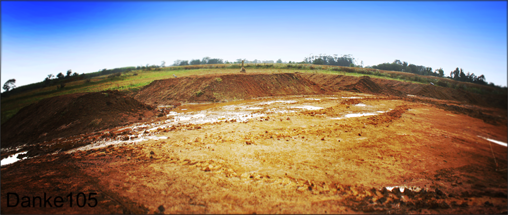
Okay here is my first track for mx sim. I still have ALOT to do, but I need some feedback on the overall flow of the track and the disp map. Please dont judge the tex's, as I just threw them on there so you know where to go. I am about finished with the disp. and have not started objects or tex's. The sandy parts tell you where I am going to put sand sections with drag and stuff. My friend said I was still making tracks that look like there for mva, but I think this one rides really good on mxsim. Also, I noticed that my track does not have shadows. I am going to look into that. So please just review the disp map and the layout. Thanks guys, hope you enjoy. Oh and uh...the ingame name is poop ***or G MX** not sure......sorry about that lol.
Image
Image
Image
Image

UPDATED NOW WORKING LINK>>>> http://www.mediafire.com/?sharekey=820c ... b9a8902bda
Last edited by Jack 984 on Mon Jan 05, 2009 8:00 pm, edited 5 times in total.
Image
wheels1758
Posts: 4132
Joined: Tue Oct 21, 2008 5:20 pm
Location: Washington, USA
Contact:

Re: Greenville MX BETA

Post by wheels1758 »

there is no terrain.png file.
Jack 984
Posts: 936
Joined: Mon Oct 27, 2008 5:29 pm
Team: Privateer
Location: St.Louis, MO

Re: Greenville MX BETA

Post by Jack 984 »

oh...is it just a blank track in game? I dont know how to fix that...
Image
cpt_Slow
Posts: 683
Joined: Sat Dec 15, 2007 5:58 pm
Team: Privateer
Contact:

Re: Greenville MX BETA

Post by cpt_Slow »

You have not included the file terrain.png in the upload, just add that and it should work
Jack 984
Posts: 936
Joined: Mon Oct 27, 2008 5:29 pm
Team: Privateer
Location: St.Louis, MO

Re: Greenville MX BETA

Post by Jack 984 »

Wait so just add a blank png in the track folder, that is named terrain.png.? Then re upload?

edit: okay i got it and found it, one thing, i think i read something about deleting the numbers like this ~6~ ...idk am i suppose to? like wont it be a big file?
Last edited by Jack 984 on Mon Jan 05, 2009 4:11 pm, edited 1 time in total.
Image
cpt_Slow
Posts: 683
Joined: Sat Dec 15, 2007 5:58 pm
Team: Privateer
Contact:

Re: Greenville MX BETA

Post by cpt_Slow »

no, in the track folder (poop folder in this case) from you're personal folder there should already be a terrain.png, this is the dispmap, if the track works fine on your computer you should be able to just upload the whole poop folder from your personal folder
Jack 984
Posts: 936
Joined: Mon Oct 27, 2008 5:29 pm
Team: Privateer
Location: St.Louis, MO

Re: Greenville MX BETA

Post by Jack 984 »

Oh okay, sorry about the poop folder lol..........

edit: alright i got it, am i suppose to delete the ~4~ files?
Image
cpt_Slow
Posts: 683
Joined: Sat Dec 15, 2007 5:58 pm
Team: Privateer
Contact:

Re: Greenville MX BETA

Post by cpt_Slow »

yeah, these are just backups of previous saves, in case you save something bad, for uploads delete them
Jack 984
Posts: 936
Joined: Mon Oct 27, 2008 5:29 pm
Team: Privateer
Location: St.Louis, MO

Re: Greenville MX BETA

Post by Jack 984 »

Alrighty. I updated the link at the top. Its about 1 mgb. It may be in game as, G MX. I renamed the folder...thanks for the help man.

Reviews pleaseee :D
Image
cpt_Slow
Posts: 683
Joined: Sat Dec 15, 2007 5:58 pm
Team: Privateer
Contact:

Re: Greenville MX BETA

Post by cpt_Slow »

no problem, but I'm afraid now you are missing the texture list
PS: i would rename the folder gmx with no spaces or caps for ease of use later with decals or objects you can add a file called desc which simply contains the name of the track you want to see in game check he r e for more info http://www.mxsimulator.com/benchracing3 ... f=2&t=1134
Jack 984
Posts: 936
Joined: Mon Oct 27, 2008 5:29 pm
Team: Privateer
Location: St.Louis, MO

Re: Greenville MX BETA

Post by Jack 984 »

Arghhhhhh. the texture list is in my c:programs track folder, but not in my personal track folder...im going to transfer them over
Image
Jack 984
Posts: 936
Joined: Mon Oct 27, 2008 5:29 pm
Team: Privateer
Location: St.Louis, MO

Re: Greenville MX BETA

Post by Jack 984 »

Okay updated the link..has everything it needs..i hope. Thank you cpt for noob help. i know most people would have given up on that a while back. lol.

reviews please..i hope...
Image
cpt_Slow
Posts: 683
Joined: Sat Dec 15, 2007 5:58 pm
Team: Privateer
Contact:

Re: Greenville MX BETA

Post by cpt_Slow »

haha no problem we all have to learn, the track works sort of now, but i'm sorry the decals don't show up it seems you have the stock decals file. Did you save after adding them? Because you have the decals in your screenshots, do they still work on your game?
Jack 984
Posts: 936
Joined: Mon Oct 27, 2008 5:29 pm
Team: Privateer
Location: St.Louis, MO

Re: Greenville MX BETA

Post by Jack 984 »

Yeah they still work, Idk, if you can tell where to go just ride without em I guess. They weren't what I was planning on using for my final copy anyways.

We should talk about this over msn, JackNLicata@live.com
Image
DankeKTM21
Posts: 1070
Joined: Mon Dec 24, 2007 5:10 pm
Team: Danke KTM
Location: chile
Contact:

Re: Greenville MX BETA

Post by DankeKTM21 »

cant understand the reason of a full public beta
Image
Kawasakis wrote:Hah yeah, because basketball and football requires just one ball - two balls just only for motocross riders haha
Post Reply