Page 1 of 1
texture detail
Posted: Sat Sep 20, 2008 2:04 am
by DankeKTM21
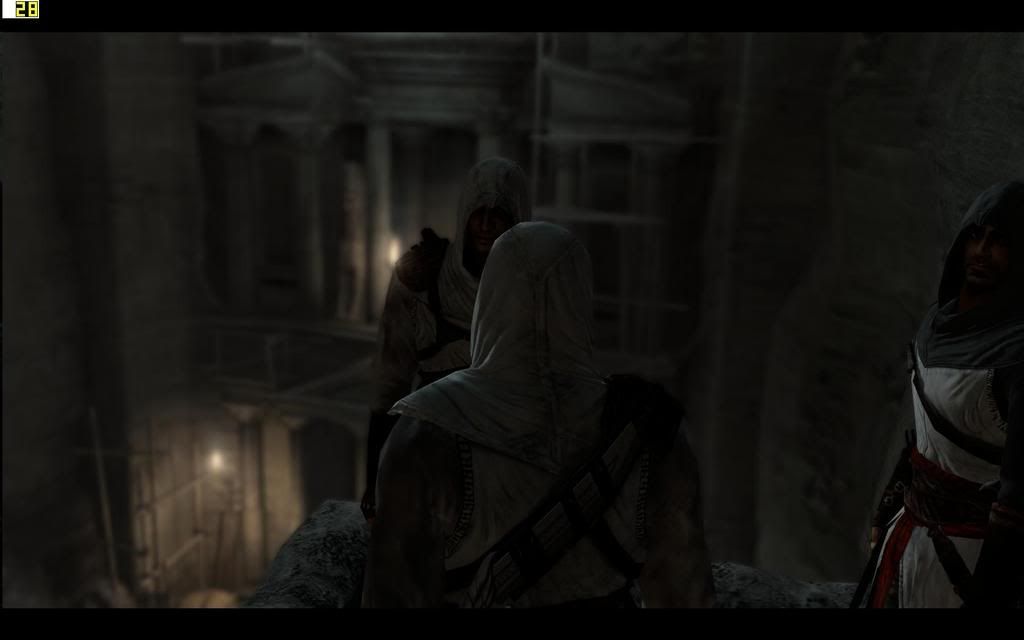
any way to keep the quality of my texture? i create it Full HD but when i open in game it looks like a .gif or something that lose my quality
i ask it is posible anyway to keep the quality in game too
thanks

Re: texture detail
Posted: Sun Sep 21, 2008 12:54 am
by Voutare
Are you using MvA style textures? If so, that's your problem. Use the decal system.
Re: texture detail
Posted: Sun Sep 21, 2008 12:59 am
by DJ99X
Nah, he just has settings on his computer wrong. I tried to rectify them yesterday, but I think the language barrier was a bit of a problem
You can tell its his graphics card settings, check out the colour banding-
Re: texture detail
Posted: Sun Sep 21, 2008 6:32 am
by DankeKTM21
Re: texture detail
Posted: Sun Sep 21, 2008 6:38 am
by DJ99X
Yes it is your settings. JLV will tell you that also
Re: texture detail
Posted: Sun Sep 21, 2008 7:15 am
by jlv
It definitely looks like 16 bit color banding. DJ, didn't you have the same problem a while ago, where it was running 16 bit even though your desktop was 24 bit color?
Re: texture detail
Posted: Sun Sep 21, 2008 7:26 am
by DJ99X
Yeah, I tried explaining it to him, but he wouldn't listen. He runs an ATI card like I used to, and my problem was that my 3d standard settings was on low quality. He needs to adjust that in the Catalyst Control Centre
Re: texture detail
Posted: Sun Sep 21, 2008 6:03 pm
by mace-x
DJ wrote:Yeah, I tried explaining it to him, but he wouldn't listen. He runs an ATI card like I used to, and my problem was that my 3d standard settings was on low quality. He needs to adjust that in the Catalyst Control Centre
ah, ok, i speak spanish, i´ll try to let him know...
can u post how 2 do it, i run nvidia so i dont familiar with ati catalyst drivers
Re: texture detail
Posted: Sun Sep 21, 2008 10:48 pm
by DJ99X
See how theres the standard setting option under 3D? He needs to increase the quality in that.

Re: texture detail
Posted: Mon Sep 22, 2008 12:55 am
by mace-x
DJ wrote:See how theres the standard setting option under 3D? He needs to increase the quality in that.
ok, got it but image doesnt work