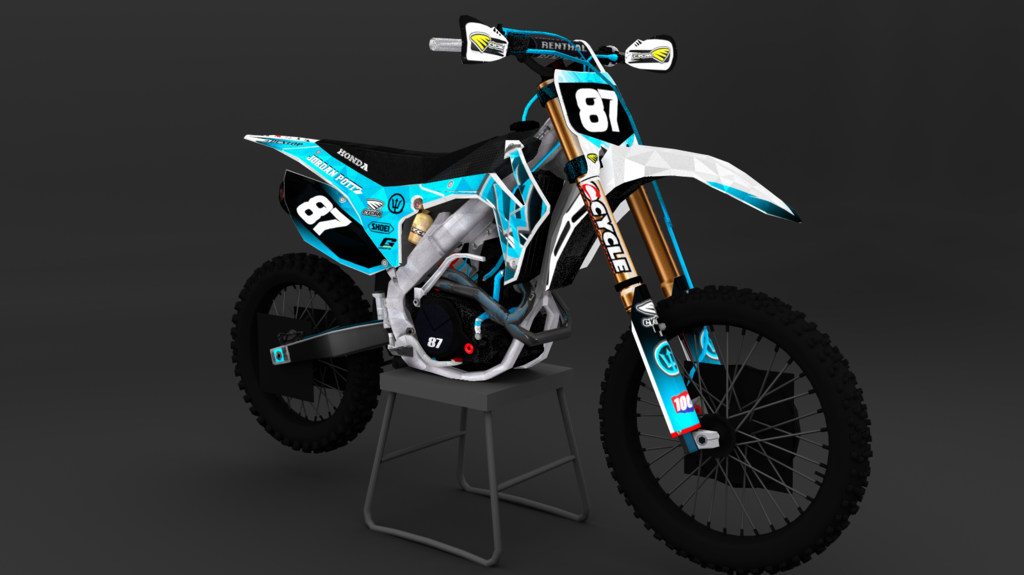
Hey guys. This is for all of you who know how to render. This was my first one and im actually impressed that i could put the skins on and render somewhat properly. But somehow the graphics got some triangles and stuff randomly.
Believe it or not, those aren't in the graphics! Im using blender render if that matters. Thanks ahead of time for the help!
PS, This is J4kaw's honda. Thanks for letting us have the blend and template!
I'm guessing you're using blender render, correct? Try using Cycles Render instead. The renders come out in much better quality.
Here's a tutorial and how I learned. Also, when you render, make sure you're using anywhere from 300-1000+ samples depending on your PC performance and how much quality you would really be wanting.
Andy_Hack wrote:I'm honestly not really impressed.
If I'm not mistaken, there is a way you can flatten those out. Try selecting the object, go to shading (left hand side, tools tab, edit dropdown box) and click smooth instead of flat. Let me know if that works.