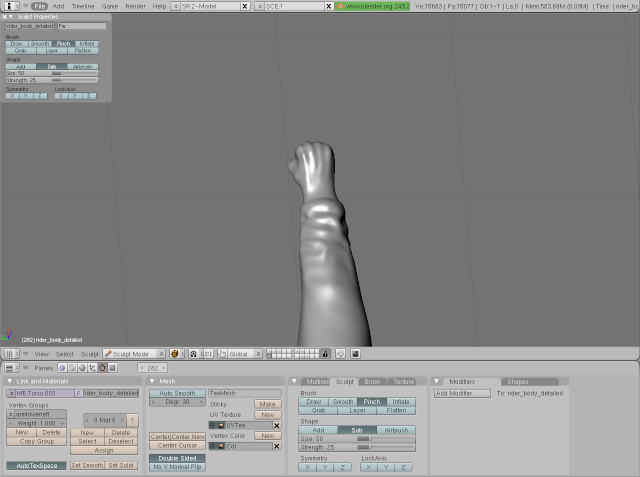
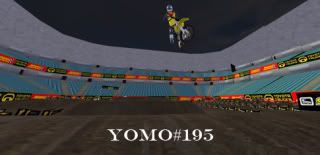
I still don't quite have it down, but here's what I've learned so far:
The Blender Manual's Sculpting page is very helpful.
Subdivide a lot. I'm using 6 levels of subdivision and more would probably work better.
In the objects/draw panel turn off wire rendering.
Turn on Partial Redraw.
Use Ctrl+Shift and drag to only show what you're working on.
Inflate mode usually works better than draw mode.
Grab can make some nice wrinkle effects but if you do too much with it your verts will all be bunched up by the wrinkles.
Josh Vanderhoof
Sole Proprietor jlv@mxsimulator.com
If you email, put "MX Simulator" in the subject to make sure it gets through my spam filter.
I have one of the newer books for blender, and it has some great tips for sculpting. If i can get my hands on it this weekend I'll post some helpful tips that it lists. Some things I can think of off hand are, instead of subdividing, use multires. With multires you can go back to lower versions until you collapse them. Also, always work while mirrored.
In the editing panel > Multires panel, hit add level until you find a good level
Pressing "n" in the 3d window brings up a floating panel similar to the sculpt and brush panels
Sculpting by mirroring an axis saves ample time
Shift-B and LMB can be used to zoom in to a specific location
It's recommended you only use one viewport when sculpting, as multiple windows consumes more processing power
With the mouse in the 3d view, press "f" to resize the brush by moving the mouse
Shift-f will let you change the strength similarly
Holding shift reverses the brush mode. i.e. from add to subtract as long as you're holding it
grab brush > g
layer brush > l
inflate brush > i
smooth brush > s
pinch brush > p
Enabling partial redraw in the sculpt menu hides the individual faces for a smooth mesh, and increases speed substantially
Alt-B then LMB drag across a section to narrow down your work space. Alt-B again unhides them
-Be careful though as this method still allows scupting on the areas you hid
Ctrl-Shift-LMB works similar to the above, but hidden faces can not be drawn on
Sculpting with a textured brush:
--In the buttons window go to texture buttons (F6)
--Add a new texture by LMB clicking on the top texture channel
--Any of blenders textures including image textures can be used
--move back into the editing panel
--go to the brush tab and select "texture" section of the scuplt properties
--click on the texture enabled "tex"
--Enabling the 3d button will apply the texture to the model throughout 3d space, as opposed to painting it onto its surface
--Enabling drag uses a single instance of the brush to apply the texture, like stamping
--pressing "f" while drawing with textures will allow you to see a representation of the texture
--pressing "Ctrl-F" allows you to rotate the texture for even greater variation
I hope these tips help. If anyone else needs any more blender related tips feel free to shoot me up and I'll help you out.
It's the stock model with some sculpting. I was just fooling around with the sculpting trying to find the right technique. That was mostly inflating and smoothing. I haven't done much with textured brushes yet so I'm going to try that next.
Josh Vanderhoof
Sole Proprietor jlv@mxsimulator.com
If you email, put "MX Simulator" in the subject to make sure it gets through my spam filter.
Are you looking at altering the current model and putting normal maps on it? Or making completely new models?
And yeah that arm did look really good, with the hand though, it would be really hard to wrap it around the handle bars with the current bond structure wouldn't it?
The bones are only needed if you want to animate it.
As for normal map vs. a new model, it depends on what I can get away with. If just a normal map looks good enough I'll do that. Otherwise I'll add a higher detail level.
Josh Vanderhoof
Sole Proprietor jlv@mxsimulator.com
If you email, put "MX Simulator" in the subject to make sure it gets through my spam filter.
Your current model looks a bit boxy in some places. You may need to add a bit more detail. No harm in it, you arent using lods for it from memory, so you can always do that