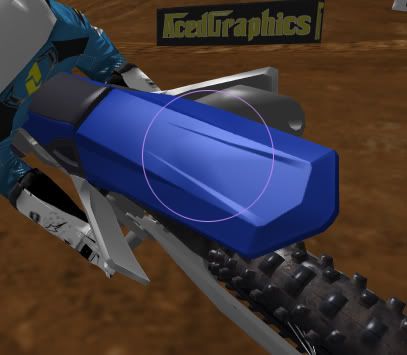
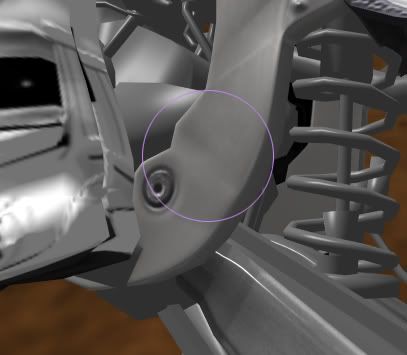
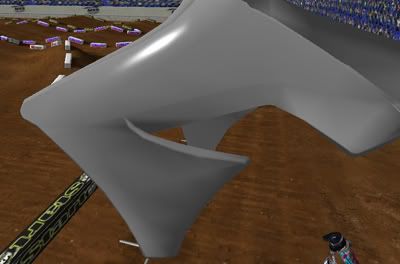
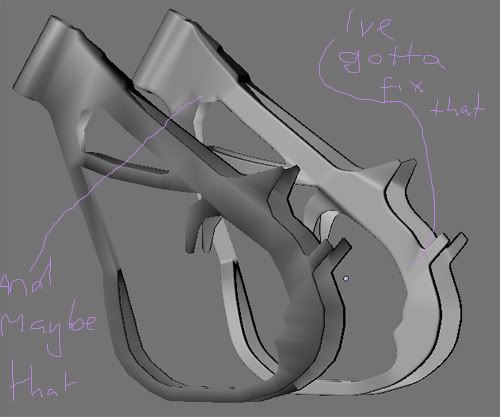
OK. Both Luiz and I are having problems with baking. We are constantly getting weird shading in some places, when it looks perfectly fine on the "high poly model" (whether it is an edgesplitted model, or truely a high poly mesh). Like these for example
I ran into something similar trying to bake a sharp cube onto a smooth shaded cube. It turned out blender wasn't producing the correct normals. I was expecting .707, 0, .707 (45 degrees) at the cube edge, but it was producing normals that fell a little short of that. I don't have a workaround for it.
Josh Vanderhoof
Sole Proprietor jlv@mxsimulator.com
If you email, put "MX Simulator" in the subject to make sure it gets through my spam filter.
Hmmm. I was just reading this thread (which lead to this tutorial), and they either bevel the edges, or just edgesplit the low poly model if the angles are anything near 90°. Might try that with my triple clamps.
Still, I have no idea why this is happening with the plastics, as they are pretty much flat.
As i said to DJ it seems your problem is the relation between the Low and Hi model.
Usually i create a clean Base (lowpoly) wich i use to build my Hi (cut ,edgeloops,turbosmooth etc).Once the Hi is done, i tweak my base (or clean my hi) and create the final Low version to match the Hi.This "avoid" or reduce the artefacts like in pic 1 and 2 in the first post.For the Hi i dont use smoothgroups,only for the Low when i need it to create hard edges (around 90 degrees angle).
To create the normalmaps,AO maps etc,i use 3ds max RTT or Xnormal (my favorite and very simple to use).Voila
Luizh, as eskwaad pointed out with the question marks on the picture already. I believe the poly flow in those areas are the main issue for why your normal map isn't appearing as it should. When you apply a smoothing modifier, of any sort, over such area it is destined to be messy.
About smoothing modifiers in general though. Using the smoothing modifiers can ruin the accuracy of the model shapes, even with the proper settings.
For bikes, I think, that some well placed chamfers/connections will do the trick.
For riders, use the smoothing modifiers as much as you can seeing it is an organic shape and it simply does not matter (unless you're talking plastic parts such as the helmet/goggles/brace/boots).