Replace mx.exe or mxbin with one of the above files. The default location for mx.exe should be "C:\Program Files (x86)\MX Simulator". I'd keep a backup of the originals since these aren't well tested.
Josh Vanderhoof
Sole Proprietor jlv@mxsimulator.com
If you email, put "MX Simulator" in the subject to make sure it gets through my spam filter.
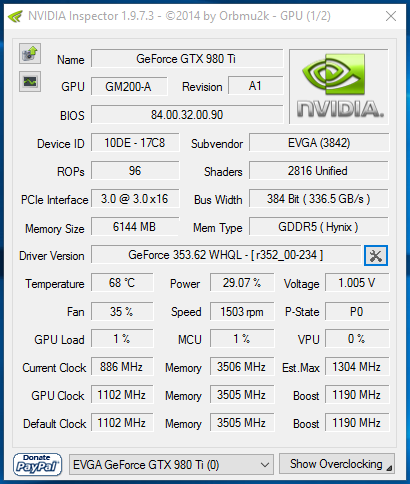
I believe there is a compatibility issue with any of the recent nvidia drivers. While riding FPS drop occasionally from 144 to 1 or 2 and it replays the same frame and audio a few times then continues on. It is unplayable due to this.
My setup:
Intel I7 6700K
Strix GTX 980Ti
Asus Maximus VIII Motherboard
16GB 3000MHz Memory CL12
All under water.
What ive tried:
New and old Drivers
High FPS Settings
High Graphics Settings
Compatibility Settings
Custom Graphics Settings For High FPS
Windows Update Off
Windows Antivirus Off
GPU & CPU Overclocked and Stock
Display Refresh settings 85hz 100hz 120hz and 144hz
Different models, tracks, rider models, etc, i feel like im out of things to try.
If anyone *Cough* JLV *Cough* would like to chime in and suggest something i havent tried, that would be great!
All opinions expressed by this account are unofficial, and should be taken with a grain of salt
I will give you a link to nvidia inspector and a profile for sim in the am when I am on my computer. Your issue is that the nvidia control panel on 750ti and 900 series cards does not support aa settings that work best with sim.
Hi Im Skyqe wrote:I will give you a link to nvidia inspector and a profile for sim in the am when I am on my computer. Your issue is that the nvidia control panel on 750ti and 900 series cards does not support aa settings that work best with sim.
Could you post this publicly, please? I use just the control panel settings and it arms to work fine but I suppose it could always be better.
Hi Im Skyqe wrote:I will give you a link to nvidia inspector and a profile for sim in the am when I am on my computer. Your issue is that the nvidia control panel on 750ti and 900 series cards does not support aa settings that work best with sim.
Hi Im Skyqe wrote:I will give you a link to nvidia inspector and a profile for sim in the am when I am on my computer. Your issue is that the nvidia control panel on 750ti and 900 series cards does not support aa settings that work best with sim.
Could you post this publicly, please? I use just the control panel settings and it arms to work fine but I suppose it could always be better.
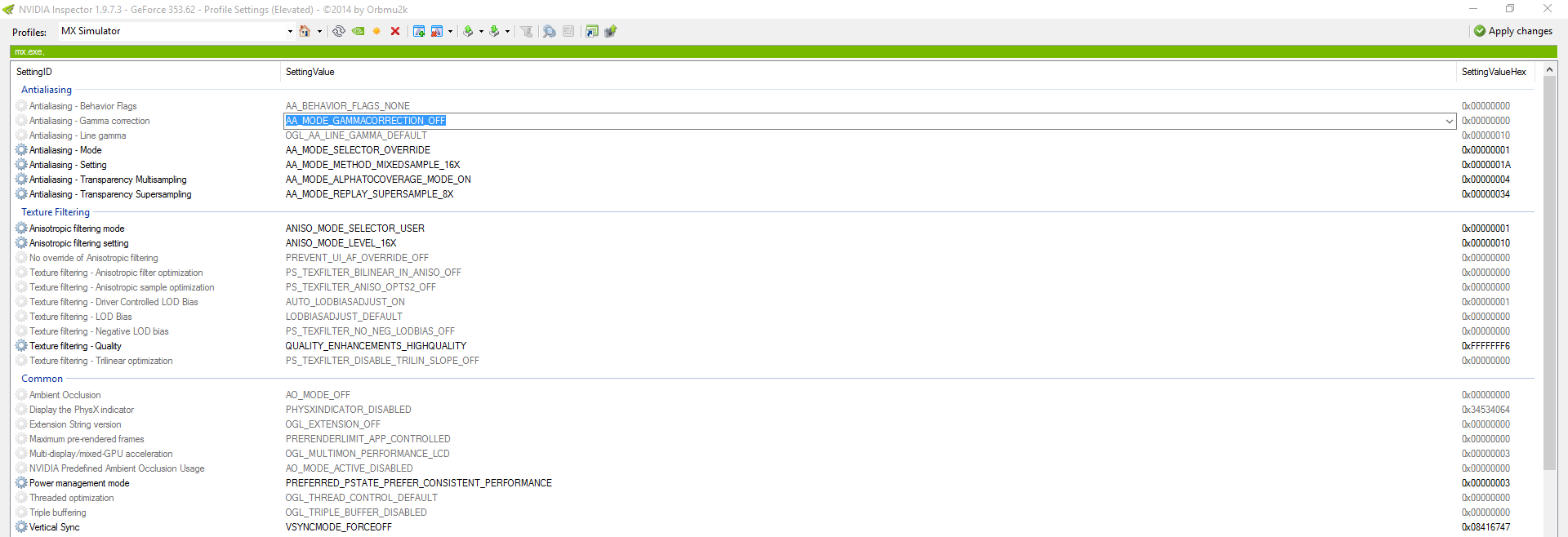
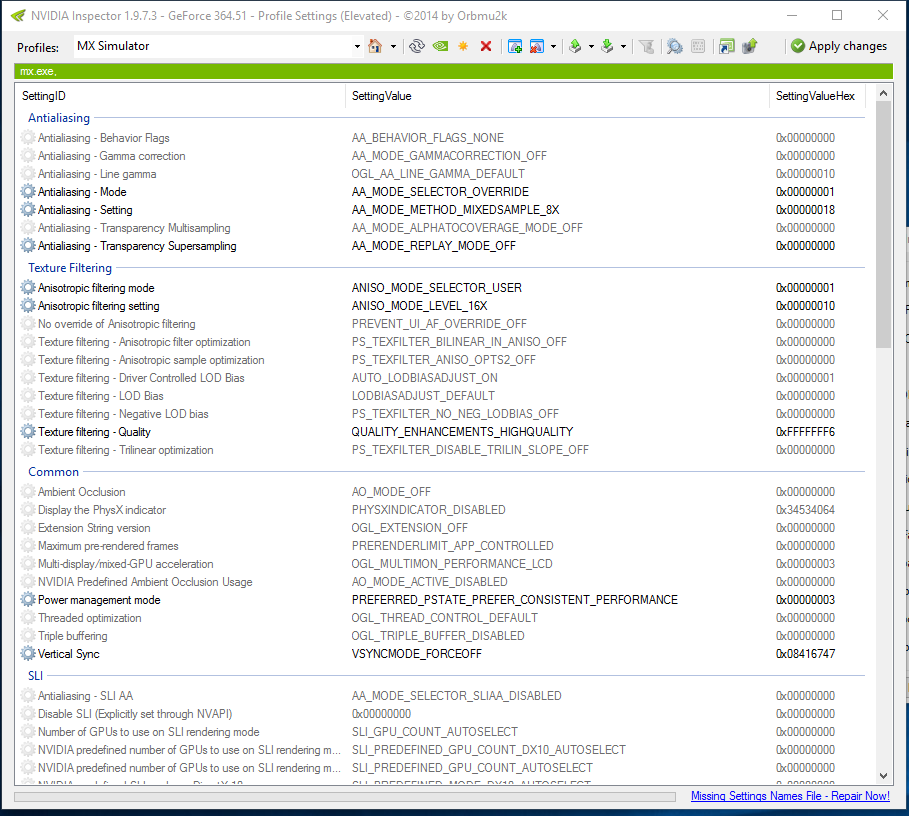
There is a profile included in the link that I use for screenshots, you can either use it or input these settings.
Once you have opened the application, press the wrench button that is highlighted. It will bring you to a profiles screen. Create a profile and link it to the MX Simulator application.
These are the settings I use for screenshots.
These are the settings I use for racing.
Is it 100% sure that i need this if i have a gtx960? I would wait tomorrow to download new snapshot if its the case (DM's race tonight)
Hi Im Skyqe wrote:I will give you a link to nvidia inspector and a profile for sim in the am when I am on my computer. Your issue is that the nvidia control panel on 750ti and 900 series cards does not support aa settings that work best with sim.
RXR_Banjo wrote:Is it 100% sure that i need this if i have a gtx960? I would wait tomorrow to download new snapshot if its the case (DM's race tonight)
Hi Im Skyqe wrote:I will give you a link to nvidia inspector and a profile for sim in the am when I am on my computer. Your issue is that the nvidia control panel on 750ti and 900 series cards does not support aa settings that work best with sim.
Nothing is needed you can run the game without it. The control panel is different on 9xx cards. This just allows you to optimize AA for MXS to run smoother.
Ezra wrote:I believe there is a compatibility issue with any of the recent nvidia drivers. While riding FPS drop occasionally from 144 to 1 or 2 and it replays the same frame and audio a few times then continues on. It is unplayable due to this.
Do you mean it's specific to this snapshot?
Josh Vanderhoof
Sole Proprietor jlv@mxsimulator.com
If you email, put "MX Simulator" in the subject to make sure it gets through my spam filter.
Ezra wrote:I believe there is a compatibility issue with any of the recent nvidia drivers. While riding FPS drop occasionally from 144 to 1 or 2 and it replays the same frame and audio a few times then continues on. It is unplayable due to this.
Do you mean it's specific to this snapshot?
I noticed it mildly with the Feb 2016 snapshot, and it has gotten progressively worse.
All opinions expressed by this account are unofficial, and should be taken with a grain of salt