Read the first post and you'll see where to find it...Mxs Racer 303 wrote:Nvm i meant in game.
2015-10-06 snapshot
-
Ohagan75
- Posts: 3777
- Joined: Mon Jan 23, 2012 3:17 am
- Team: Prime Design GFX
- Location: Australia
- Contact:
Re: 2015-10-06 snapshot

-
Mxs Racer 303
- Posts: 582
- Joined: Fri Jun 20, 2014 7:43 am
- Location: California
Re: 2015-10-06 snapshot
I already found it thats why i said nvm
-
jlv
- Site Admin
- Posts: 15340
- Joined: Fri Nov 02, 2007 5:39 am
- Team: No Frills Racing
- Contact:
Re: 2015-10-06 snapshot
Welcome back David!ddmx wrote:It's about time that I go and search for that 1.0 installer again. Great to see the updates still continuing to roll in all the years later! Keep up the incredible work JLV.
That's correct. This should fix both problems.mxsrider96 wrote:Is this the fix to the "reloading tracks every restart" problem, or does it just keep that message from popping up?jlv wrote:[*]Fixed bug where editor marked track as modified upon loading.[/*]
Josh Vanderhoof
Sole Proprietor
jlv@mxsimulator.com
If you email, put "MX Simulator" in the subject to make sure it gets through my spam filter.
Sole Proprietor
jlv@mxsimulator.com
If you email, put "MX Simulator" in the subject to make sure it gets through my spam filter.
-
Phathry25
- Posts: 7481
- Joined: Sat Dec 01, 2007 1:09 am
- Team: No Frills Racing
- Location: WI
- Contact:
Re: 2015-10-06 snapshot
Don't even act like you're an OG unless you purchased from Plimus.AWood wrote:if you go to your download link from bmt micro it will give you the newest versionddmx wrote:It's about time that I go and search for that 1.0 installer again. Great to see the updates still continuing to roll in all the years later! Keep up the incredible work JLV.
David
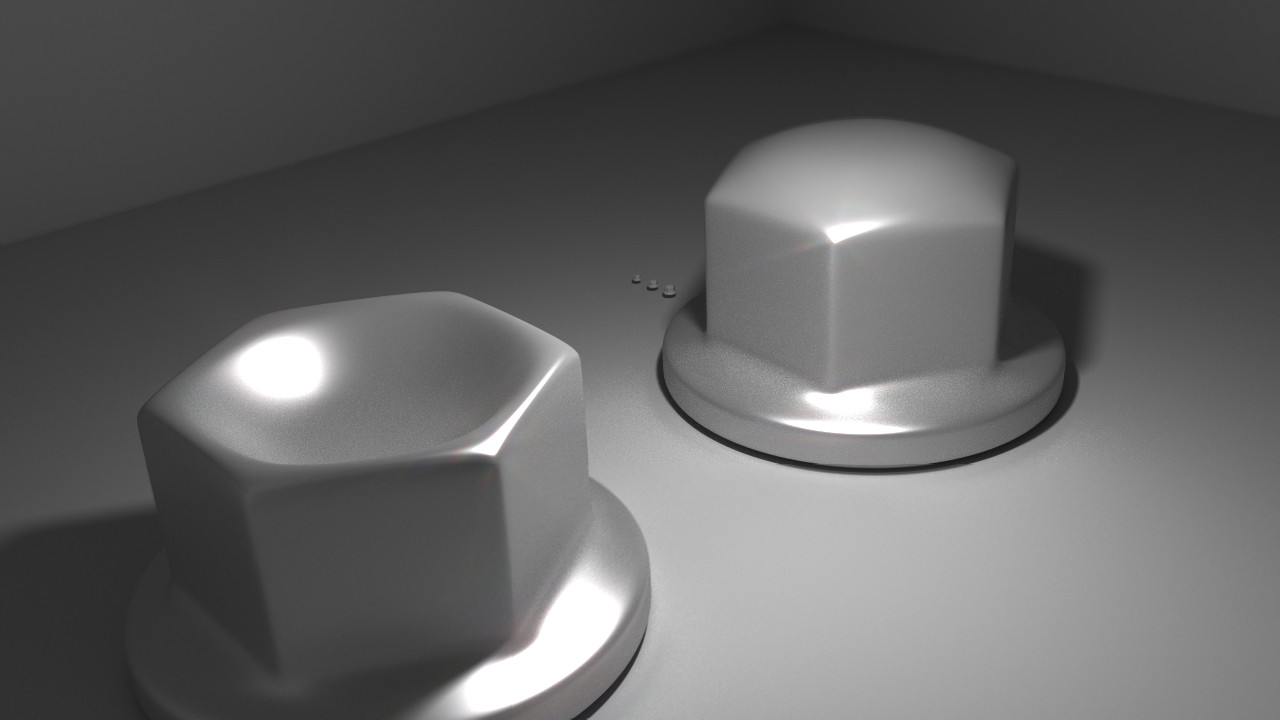
jlv wrote:Here's a picture of my nuts.
-
AWood
- Posts: 4657
- Joined: Fri Mar 30, 2012 4:05 am
- Team: Who Knows...
- Location: Test Tracks and In N Out
Re: 2015-10-06 snapshot
Never acted like an OGPhathry25 wrote:Don't even act like you're an OG unless you purchased from Plimus.AWood wrote:if you go to your download link from bmt micro it will give you the newest versionddmx wrote:It's about time that I go and search for that 1.0 installer again. Great to see the updates still continuing to roll in all the years later! Keep up the incredible work JLV.
David
barrington314 wrote:awood is right
Leclair wrote:My name is barking
2014 rF GNC 22nd Overall - 2014 rF 450 SX 12th - 2014 rF 450 MX 11th OverallLeclair wrote:i fuck you
2013 rF GNC 17th Overall - 2013 rF 450 SX 17th - 2013 rF 450 MX 8th - 2013 EMF French Cup Open World 6th
-
Pumaxcs
- Posts: 13227
- Joined: Sat Dec 15, 2007 11:50 pm
- Team: Kyle/Luiz
- Location: Western, Kentucky
Re: 2015-10-06 snapshot
Don't act like an OG unless you downloaded a skin from Drupal. I can do it too, see?

-
John_Trombley
- Crushed Dissenter
- Posts: 55
- Joined: Fri Aug 14, 2015 2:45 pm
- Team: Privateer
Re: 2015-10-06 snapshot
We are on a online forum about a video game, No one is a gangster lol
-
mxsrider96
- Posts: 3603
- Joined: Mon Sep 10, 2012 12:15 am
- Team: PoGo
- Location: Indiana
-
ShackAttack12
- Posts: 3131
- Joined: Fri May 09, 2008 1:51 am
- Location: San Diego, CA
Re: 2015-10-06 snapshot
It's quite easy to understand.Big Smooth one3 wrote:Now...can someone tell me what I should be looking for within the graph? In simple terms - what should type of reading should I be working toward/trying to avoid in terms of the graph output as I'm riding?
-The moving white line indicates the location of your wheel. At the static horizontal line, the suspension is fully extended. At the top of the graph, the suspension is fully compressed.
-The red line indicates LOW SPEED damping plays more of an effect on the suspension movement at that time.
-Red lines above the horizontal center white line means that the LOW SPEED COMPRESSION DAMPING is the major factor.
-Red lines below the horizontal center white line means that the LOW SPEED REBOUND DAMPING is the major factor.
-The green line indicates HIGH SPEED damping plays more of an effect on the suspension movement at that time.
-Green lines above the horizontal center white line means that the HIGH SPEED COMPRESSION DAMPING is the major factor.
-Green lines below the horizontal center white line means that the HIGH SPEED REBOUND DAMPING is the major factor.
While tuning the suspension, you have to find a balance between "how the bike feels" and using the full suspension travel properly.
ShackAttack12
| 2010 Supercross Champ | 2011 Supercross Champ | 2019 Supercross Champ |
-
slowngreen
- Posts: 907
- Joined: Mon Sep 02, 2013 6:18 pm
- Team: MotoPin Racing
- Location: idaho
Re: 2015-10-06 snapshot
John_Trombley wrote:We are on a online forum about a video game, No one is a gangster lol
 Truth of the day.
If anyone is interested, this is what I did all day yesterday haha, worked on my setup with this update. I am an amateur rider so keep that in mind and I was doing mx on a 250f. For me I think the legs getting blown off has gone away pretty much with this setup and Ive gained traction over my old setup. I started with one that Mxs Racer 303 had posted and went from there.
fork_compression_adjustment=82.000000
fork_slow_compression_adjustment=63.000000
fork_rebound_adjustment=80.000000
fork_slow_rebound_adjustment=83.000000
fork_spring_rate_adjustment=58.000000
fork_preload_adjustment=72.000000
fork_oil_level_adjustment=60.000000
shock_compression_adjustment=67.000000
shock_slow_compression_adjustment=52.000000
shock_rebound_adjustment=90.000000
shock_slow_rebound_adjustment=53.000000
shock_spring_rate_adjustment=78.000000
shock_preload_adjustment=62.000000
rider_yspring=72.000000
rider_ydamping=40.000000
rider_zspring=80.000000
rider_zdamping=37.000000
rider_mass_distribution=0.400000

-
KTM57
- Posts: 13870
- Joined: Wed Jul 07, 2010 2:42 am
- Location: TX
- Contact:
Re: 2015-10-06 snapshot
Do I see someone with a 2 digit UID trying to act OG?Pumaxcs wrote:Don't act like an OG unless you downloaded a skin from Drupal. I can do it too, see?
This is a block of text that can be added to posts you make. There is a 255 character limit.
-
Phathry25
- Posts: 7481
- Joined: Sat Dec 01, 2007 1:09 am
- Team: No Frills Racing
- Location: WI
- Contact:
Re: 2015-10-06 snapshot
Lol. That went well.
I'm having a hard time riding and watching the graph. Would be more awesome if we could have the game output these things and review them later. This still works surprisingly well for being so tricky to read and ride. Maybe I just suck. Nice job JLV.
Now about that time ahead on the pit board thing....
I'm having a hard time riding and watching the graph. Would be more awesome if we could have the game output these things and review them later. This still works surprisingly well for being so tricky to read and ride. Maybe I just suck. Nice job JLV.
Now about that time ahead on the pit board thing....
jlv wrote:Here's a picture of my nuts.
-
vmaki
- Posts: 198
- Joined: Sat Jun 02, 2012 2:46 pm
- Team: Privateer
- Location: Suomi, Finland
Re: 2015-10-06 snapshot
Thanks jlv! The graph is cool!
I have a couple questions.

When does the bike experience "correct" sag? A is when coming to a halt after riding around on a flat surface and B is after using the reset button in time trial. Why the bike doesn't allways settle in to the same neutral position? I don't ride motocross so I don't really know if this is normal or not. I'm just curious!
Also at C could we have a nice colored section showing 35-45% of travel? Or a running value of current wheel position?
I have a couple questions.
When does the bike experience "correct" sag? A is when coming to a halt after riding around on a flat surface and B is after using the reset button in time trial. Why the bike doesn't allways settle in to the same neutral position? I don't ride motocross so I don't really know if this is normal or not. I'm just curious!
Also at C could we have a nice colored section showing 35-45% of travel? Or a running value of current wheel position?

-
Donmanmx
- Posts: 4
- Joined: Mon Jul 13, 2015 8:47 pm
- Team: Privateer
Re: 2015-10-06 snapshot
HELP!
When im going to open the .exe snapshot thing, it directly choose C: harddrive and then it says "cant find game data"
its because i have mxsim folder in E:
any1 that knows how to change destination folder for the update?
sorry for my bad english
When im going to open the .exe snapshot thing, it directly choose C: harddrive and then it says "cant find game data"
its because i have mxsim folder in E:
any1 that knows how to change destination folder for the update?
sorry for my bad english
-
Wahlamt
- Posts: 7961
- Joined: Mon Sep 13, 2010 3:15 pm
- Team: MLG Compton
- Location: Sweden
- Contact:
Re: 2015-10-06 snapshot
You have to put the snapshot in your mxsimulator folder on your E:\ drive manually.